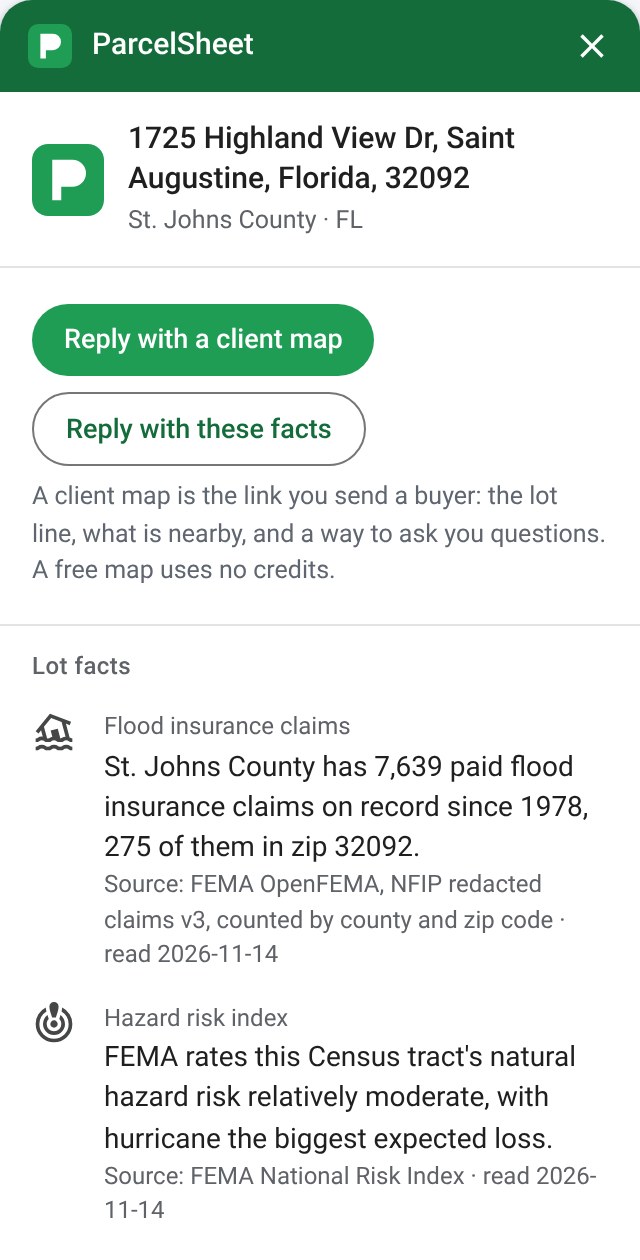
Lot facts for the property in the email you have open
A buyer writes about a house. Open ParcelSheet in Gmail's side panel and press one button: flood claims, hazard risk, tax rate, loan limits and more for that address, each with its source. One more press writes the reply, with the facts or with a client map.
Coming soon to the Google Workspace MarketplaceFree. Works in Gmail on the web and in the Gmail app. All 50 states.
How it works
Client maps from Gmail
The link you send a buyer
A client map shows the lot line and what is nearby, and lets the buyer send you questions. Connect your ParcelSheet account once and Reply with a client map makes a free map and puts its link in the reply. A free map uses no credits.
Full maps wait for your Yes
A full map adds satellite and street views and uses 3 credits, then 1 credit a month to keep it live. Credits are never spent from Gmail: ParcelSheet opens a page where you press Yes yourself.
What it reads and sends
- One email, only when you press the button. It reads the subject and text of the email you have open, inside Google, to find the address. It never reads your inbox or your other mail.
- Only the address leaves Google. The street address or TMK goes to parcelsheet.org to look up the facts. No other words from the email, and not the sender.
- It keeps no email. No email text is stored, by the add on or by us. The address you look up is sent to parcelsheet.org, counted toward the daily free limit and held briefly in our server logs, like any other lookup. The public answers for addresses you looked up stay in your own Google account for up to 6 hours, so the card opens fast.
- It never sends mail. Every reply is a draft you send.
- It never spends credits. Only you do, on ParcelSheet.
- Fair housing. No school ratings, crime or demographic figures.
- No ads, no trackers, nothing sold.
For brokerages
A Google Workspace admin can add ParcelSheet to every agent's Gmail at once: Admin console, Apps, Google Workspace Marketplace apps, Add app, then install it for the whole office or one group. Questions: nick@parcelsheet.org
Help
It found no address
Type the address or TMK in the box on the card. A street address needs its city and state.
Disconnect or remove it
Disconnect is on the add on's first card and on your ParcelSheet Account page. To remove the add on: Gmail, Settings, Add-ons, Manage. Removing it deletes what it kept in your Google account: the sign in, and public answers for addresses you looked up in the last 6 hours.