Lot facts on the listing you already have open
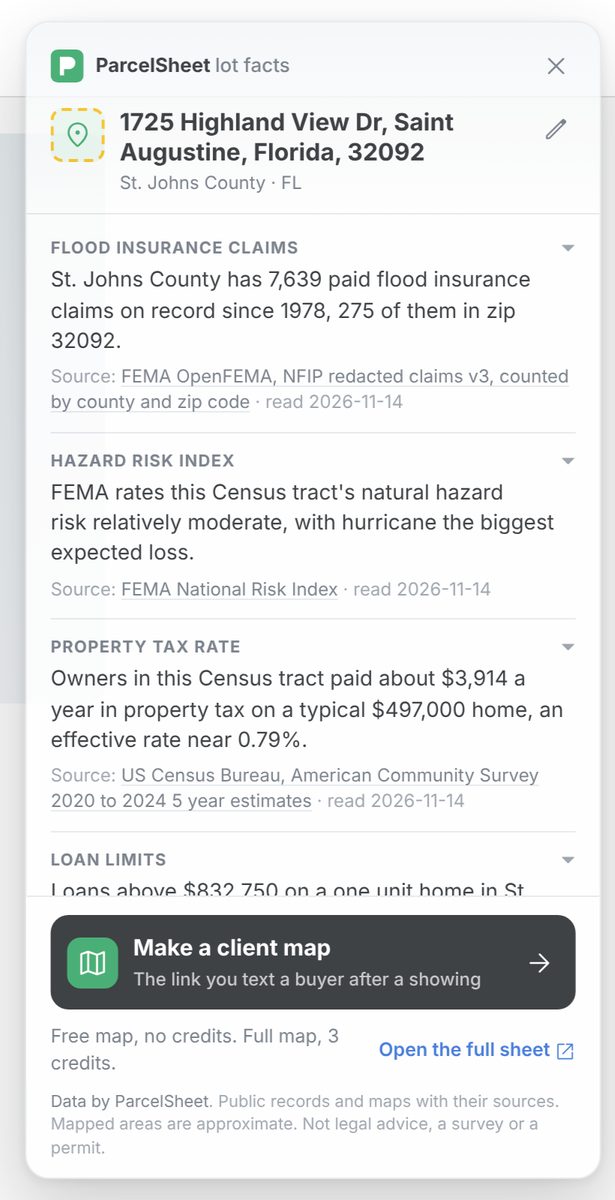
A small ParcelSheet tab on listing sites, your MLS and your CRM. One click shows flood claims, hazard risk, tax rate, loan limits and more for that address, each with its source. One more makes a client map to text your buyer.
Free. Works in Chrome, Edge, Brave and Arc on a computer. All 50 states.
How it works
Your MLS and your CRM
Keep it on the sites you work in
Open your MLS or CRM, click the ParcelSheet button in the toolbar, then "Keep it here". Chrome asks you once for that site. After that the tab is there, and it picks up the address you select or the one in the page heading.
Any page at all
Select an address anywhere, right click, and pick "Look up on ParcelSheet". Or click the toolbar button and type one.
What it reads and sends
- Only the street address. On listing sites it comes from the page link, not from the listing text or photos.
- Only when you ask. Nothing is sent until you open the tab, unless you turn on "Open the card by itself" in its settings.
- Only to parcelsheet.org. No ads, no trackers, nothing sold.
- It holds no sign in. Client maps are made on parcelsheet.org, in your own tab.
- It never spends credits. Only you do, on ParcelSheet.
- Fair housing. No school ratings, crime or demographic figures.
For brokerages
A Google Workspace or Chrome Enterprise admin can add ParcelSheet to every agent's Chrome at once, with no clicks from the agents: Admin console, Devices, Chrome, Apps and extensions, Add from Chrome Web Store, then set it to Force install. Questions: nick@parcelsheet.org